
Pick a month.
Start with your newest photos or revisit a month you haven’t seen in a while. Your progress is saved, so you can come back later.

Photo Cleaner · Google Play
Your favorite photos shouldn’t get lost between old screenshots and ten versions of the same shot. Tidy your gallery one month at a time.
Android 8.1 and later. Contains ads. Availability is shown on Google Play.
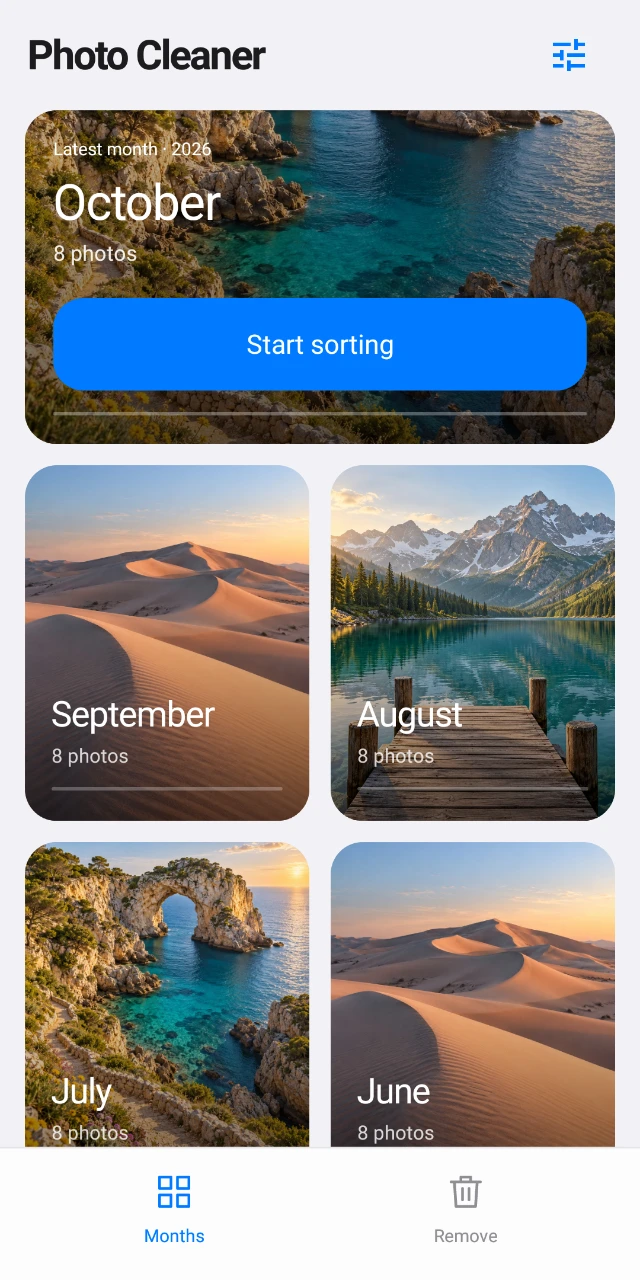
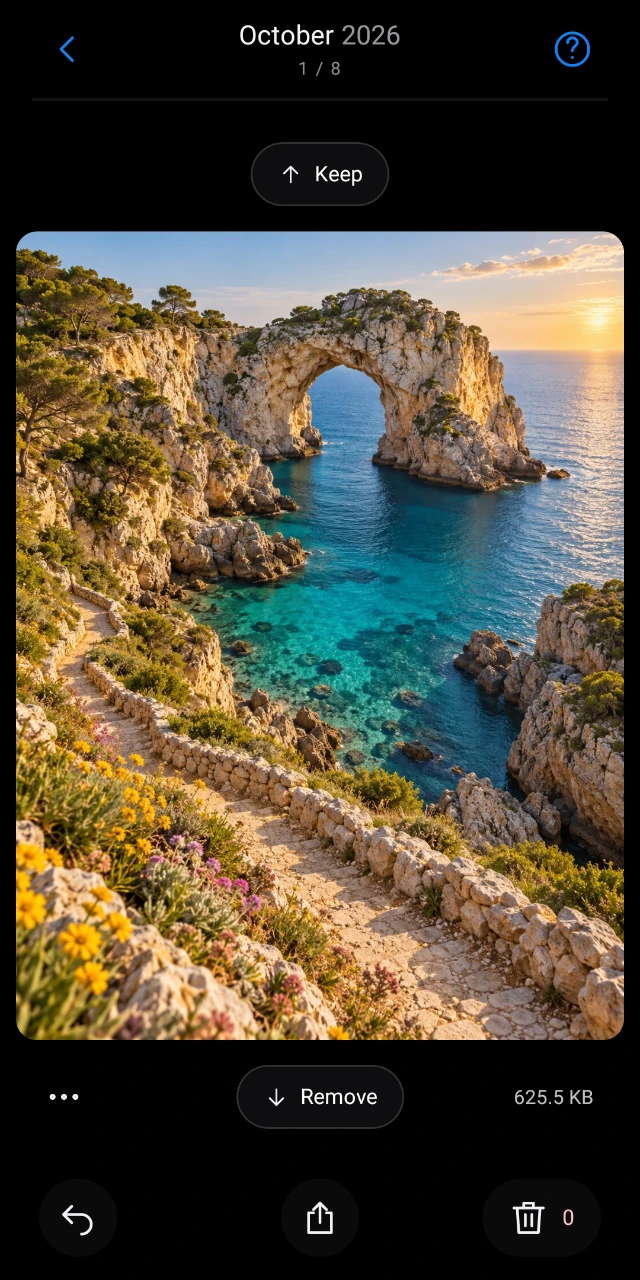
A few minutes at a time
Start with your newest photos or revisit a month you haven’t seen in a while. Your progress is saved, so you can come back later.
Swipe up to keep a photo, down to mark it for removal. See the whole picture, pinch to look closer, and undo a swipe if you change your mind.
Take one last look before confirming deletion. See how much space you’ve freed, with the pictures you value still in your gallery.
 Make room for the photos you want to come back to.
Your photos stay yours
Photo Cleaner sorts photos on your device. Your photo library, photo locations, and sorting decisions aren’t uploaded to our servers or sent to advertisers.
No account is needed. The app contains ads, and advertising services handle some device and usage data separately. You can find the details and your options in the privacy policy.
Read Photo Cleaner’s privacy policyGood to know
No. It adds the photo to “To remove.” You review your choices and confirm deletion separately. Once deletion is confirmed, it may be permanent.
Yes. Completed months remain available. Open one to browse the remaining photos and continue sorting whenever you like.
Photo Cleaner manages photos accessible on your device. It does not promise to remove cloud backups. Any syncing or cloud deletion is controlled by your photo provider.
After an eligible cleanup is complete and its records are updated. The first two eligible cleanups in each app process session have no interstitial ad. If an ad isn’t ready, the app moves straight to your results.